

Quick Start (First API Call)
This guide walks you through the fastest way to make your first successful API request to Basqet.
By the end of this section, you will have:
- Created and verified your Basqet account
- Retrieved your API keys
- Made your first API request
- Received a successful response from the Basqet API
Step 1: Create and Verify Your Basqet Account
Before using the Basqet API, you need a verified merchant account.
- Sign up for a Basqet merchant account
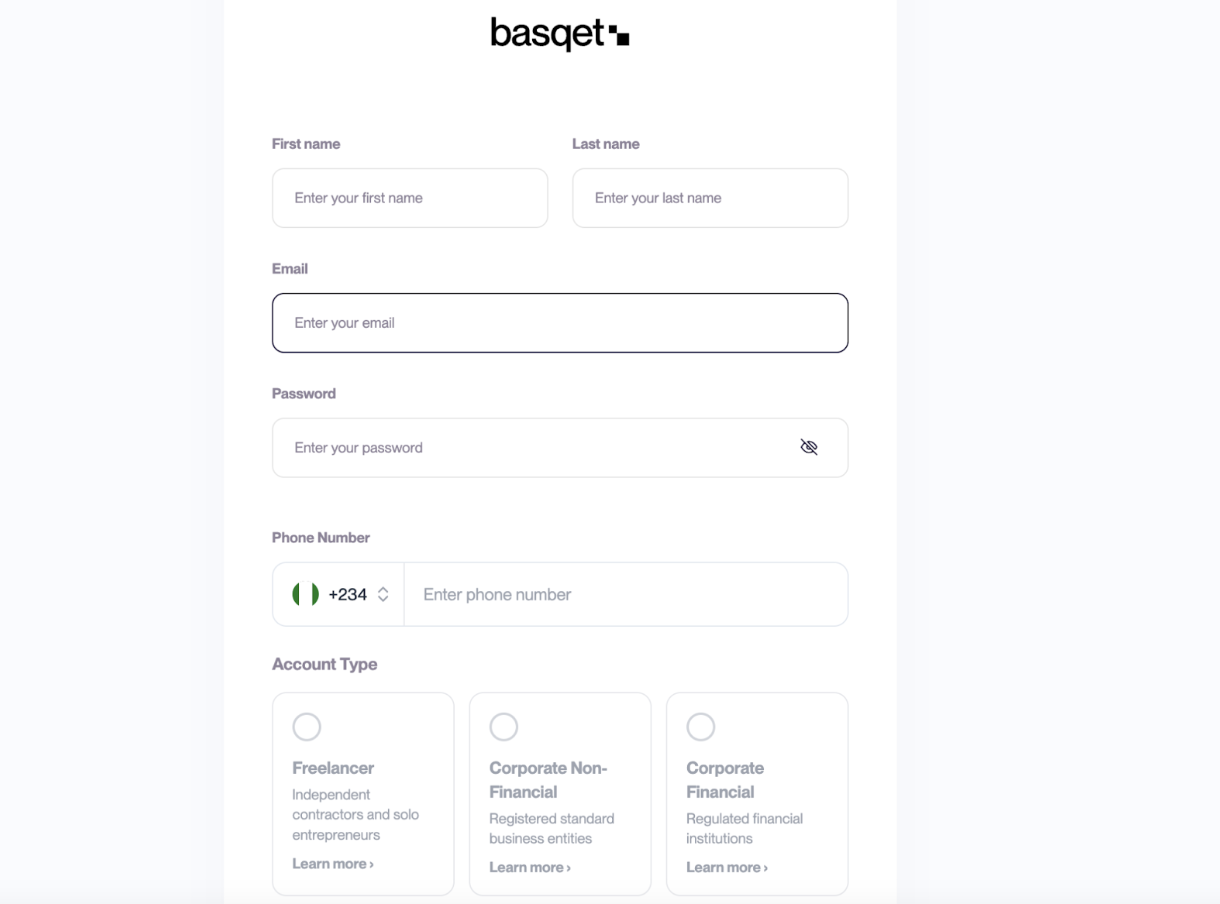
Completing KYB is only required to access production features or switching to Live mode as test mode can be accessed without KYB completion.
Step 2: Retrieve Your API Keys
You can generate API keys from your dashboard. To retrieve your keys:
- Log in to your Basqet Dashboard
- Navigate to Developers
- Locate the API Keys section
- Copy your Public Key and Secret Key using the copy icon
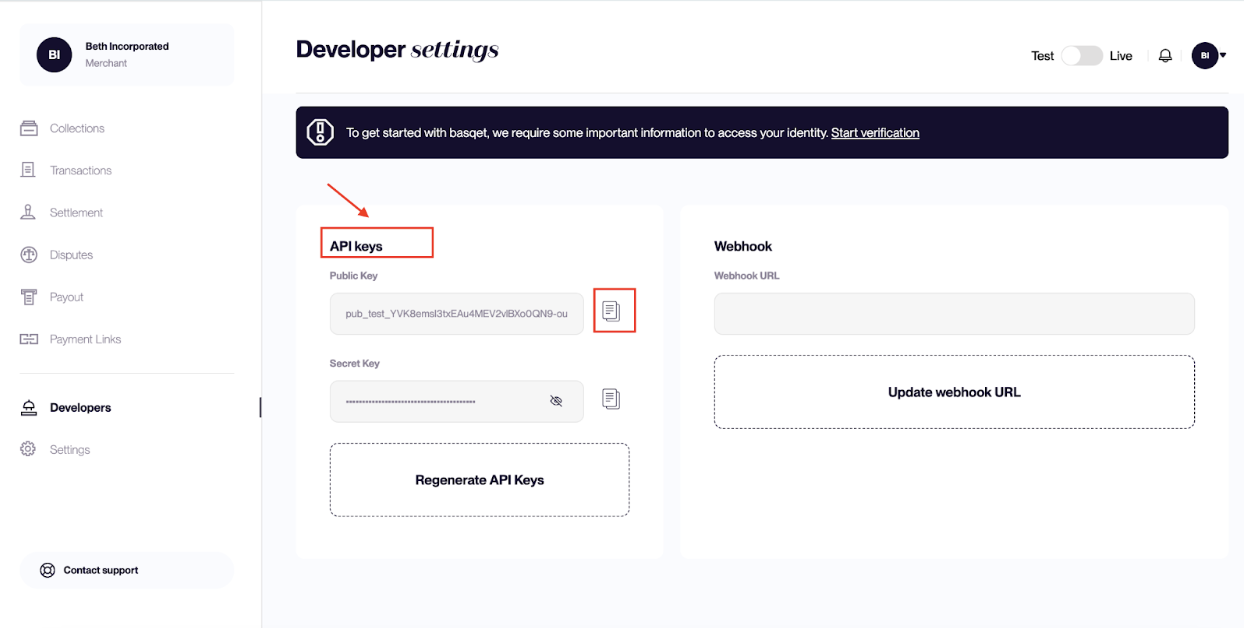
Each environment has its own set of API keys. During development, always use your Test keys.
Step 3: Make Your First API Request
Now that you have your API keys, you can make your first request to the Basqet API. A simple first request is retrieving the list of supported currencies.
Example Request
curl <https://api.basqet.com/v1/currency> /

 \-H "Authorization: Bearer sk\_test\_YOUR\_SECRET\_KEY"
Replace
sk\_test\_YOUR\_SECRET\_KEYwith the Secret Key from your dashboard. II
Step 4: Successful Response
If your request is successful, you will receive a response similar to the example below:
{
 "status": "success",
 "message": "Currencies fetched successfully",
 "data": [
   {
     "id": 3,
     "name": "Tether",
     "slug": "USDT",
     "type": "CRYPTO"
   }
 ]
}
This response confirms that:
- Your API key is valid
- Your application can successfully communicate with the Basqet API
- You can now begin building your integration
Step 5: Next Steps
Once your first API request works, you can begin integrating Basqet features into your application.
Common next steps include:
- Getting your KYB approved
- Creating a Pay-in transaction
- Setting up webhooks to receive payment updates
- Configuring payouts and settlements
Continue to the next section to start accepting payments.
Updated 7 months ago