

Beneficiary Management
Overview
Beneficiaries are recipients you can save in your Basqet account to simplify payout transactions. Instead of entering recipient wallet details every time you make a transfer, you can store them as beneficiaries and reuse them whenever needed.
You can manage beneficiaries directly from your Basqet dashboard, including:
- Adding single beneficiaries
- Uploading bulk beneficiaries
- Viewing saved beneficiaries
- Exporting beneficiary records
Saved beneficiaries can then be selected as recipients when initiating single or bulk payouts.
Accessing Beneficiary Settings
To manage your beneficiaries:
- Log in to your Basqet Dashboard
- Navigate to Settings
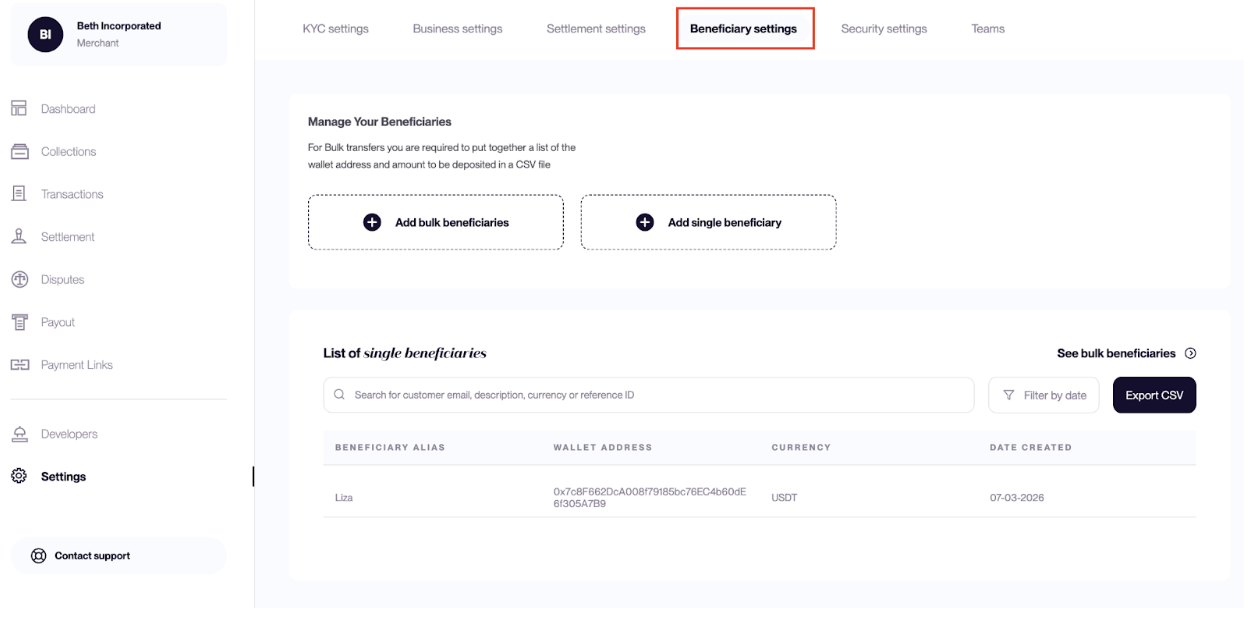
- Click Beneficiary settings
You will see a table containing all beneficiaries that have been added to your account, and can also search or filter beneficiaries from this page.
Adding Beneficiaries
Basqet allows you to add beneficiaries in two ways:
- Single Beneficiary
- Bulk Beneficiaries
Add a Single Beneficiary
Use this option when adding one recipient at a time.
Steps
- Log in to your Basqet dashboard
- Go to Settings
- Click Beneficiary settings
- Click Add single beneficiary
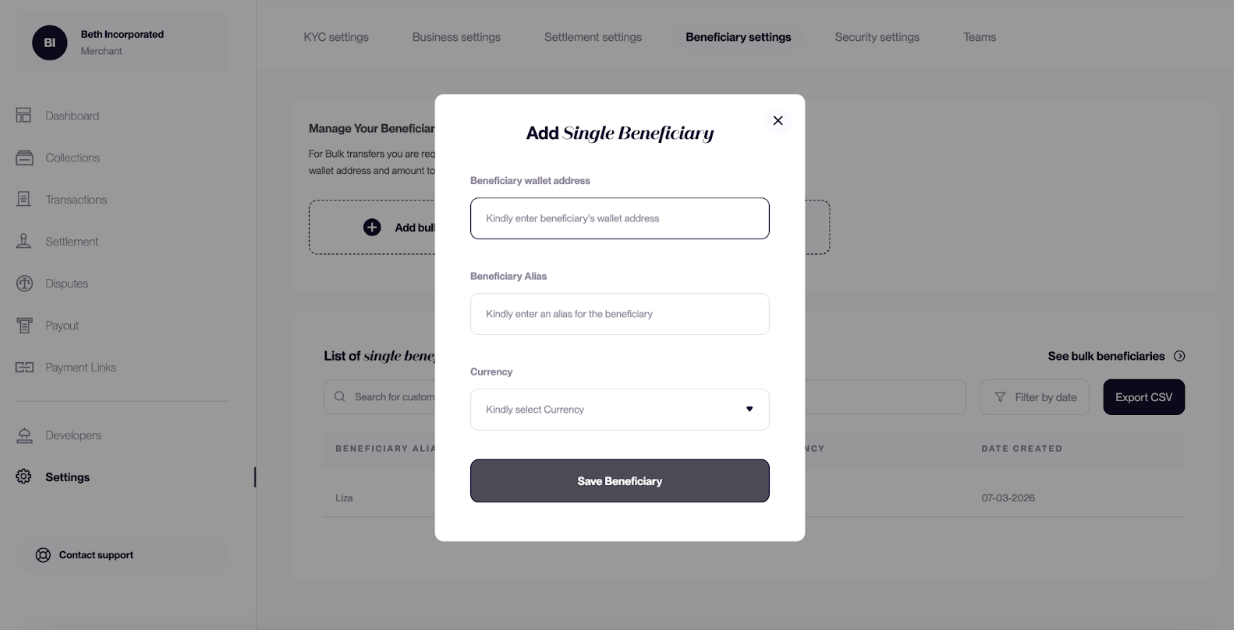
- Enter the required details
- Click Save beneficiary
The beneficiary will then appear in your beneficiary list.
| Field | Description |
|---|---|
| Alias | A name used to identify the beneficiary |
| Wallet Address | The recipient’s crypto wallet address |
| Currency | The cryptocurrency associated with the wallet |
Add Bulk Beneficiaries
Bulk upload allows you to add multiple beneficiaries at once using a CSV file.
Steps
- Log in to your Basqet dashboard
- Go to Settings
- Click Beneficiary settings
- Click Add bulk beneficiaries
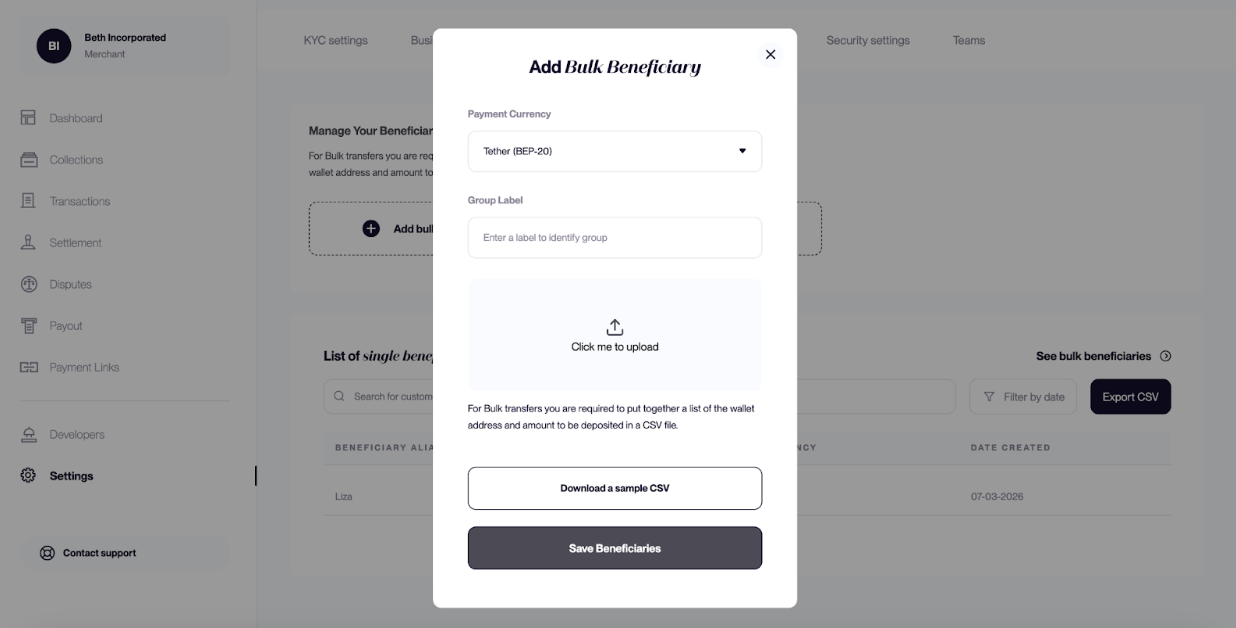
- Click Download template to see the required CSV format
- Add beneficiary details to the CSV file
- Upload the completed CSV file
All valid beneficiaries from the file will be added to your beneficiary list.
Export Beneficiary List
You can export your beneficiaries as a CSV file for record keeping or reporting.
Steps
- Log in to your Basqet dashboard
- Go to Settings
- Click Beneficiary settings
- Locate the beneficiaries table
- Click Export CSV
- Select the date range you want to export
- Download the generated file
Using Saved Beneficiaries in Payouts
Saved beneficiaries can be selected when creating payout transactions.
Steps
- Log in to your Basqet dashboard
- Go to Payout
- Select Single payout
- Choose the payout currency
- Select a recipient from your saved beneficiaries
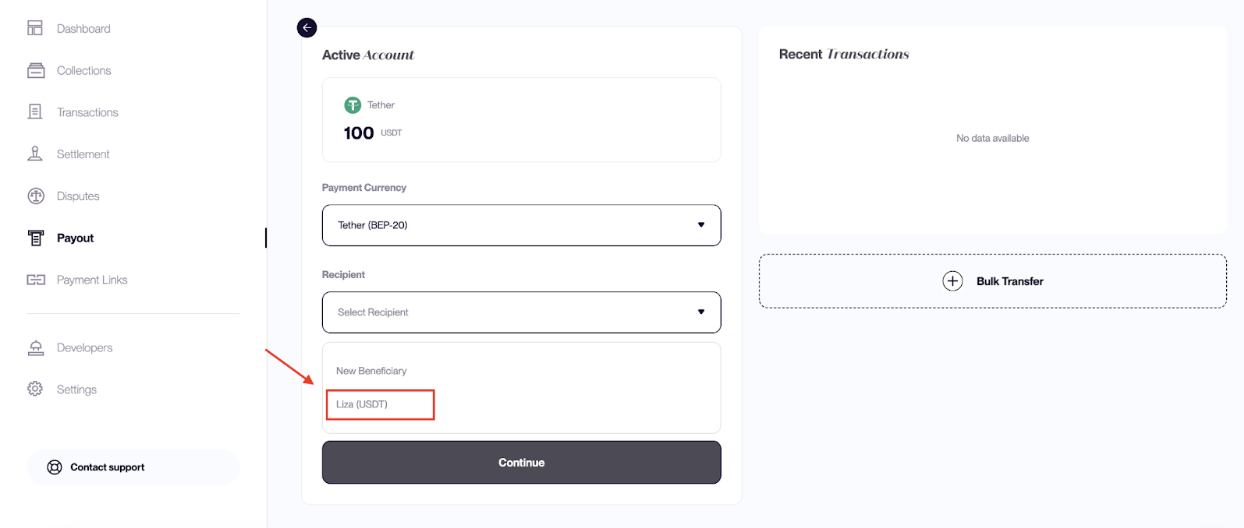
- Complete the payout transaction
Using saved beneficiaries reduces manual entry and helps prevent payout errors.
Related Guides
- Initiating a Payout
- Supported Currencies
Updated 7 months ago