

Authenticating Your Request
Access to Basqet’s API requires authentication using API keys. This guide will help you generate, use, and regenerate your keys securely.
1. Getting Your API Keys
To generate API keys:
- Log in to your Basqet dashboard.
- Navigate to API.
- Copy your public and secret keys for the selected environment.
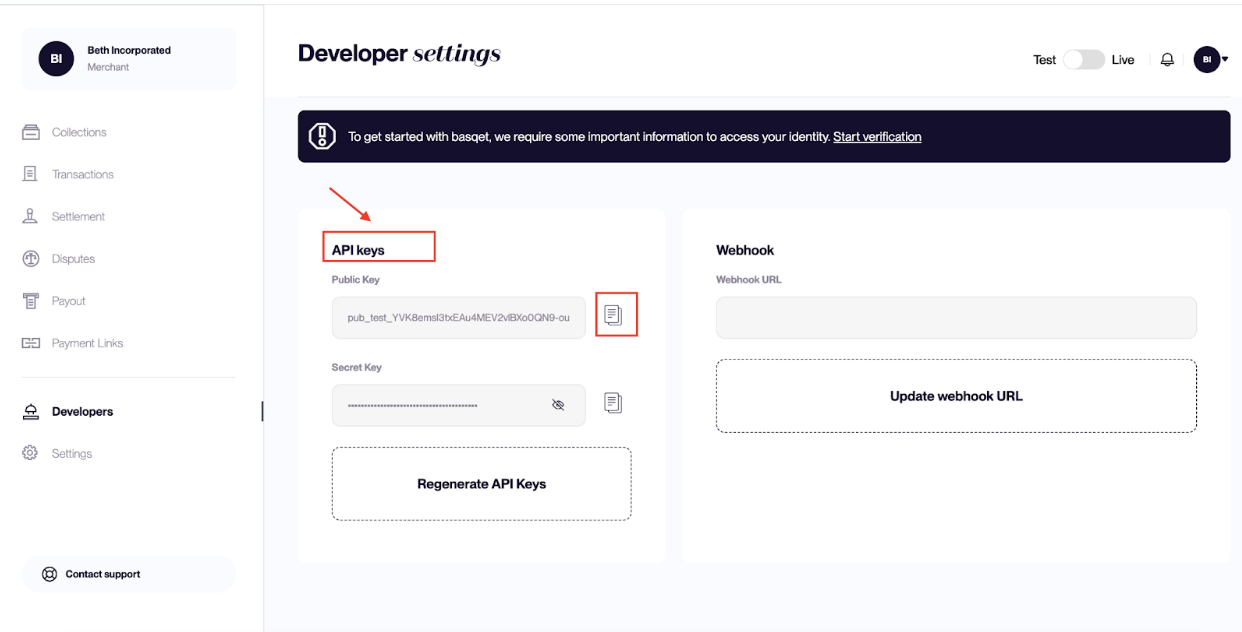
⚠️ Note: Each environment (e.g., Test, Production) has its own set of API keys. Make sure you use the keys corresponding to the correct environment.
2. Using Your API Keys
Include your secret key in the HTTP Authorization header for all API requests:
GET /v1/accounts
Host: api.basqet.com
Authorization: Bearer <YOUR_SECRET_KEY>
Important: Never expose your secret key in client-side code, public repositories, or logs.
3. Regenerating API Keys
If your keys are exposed or compromised, regenerate them immediately. When you regenerate:
- All existing keys are invalidated.
- New keys are generated.
- You must update your application configuration with the new keys.
Steps to regenerate keys:
- Go to the API page on your dashboard.
- Click Regenerate API Keys.
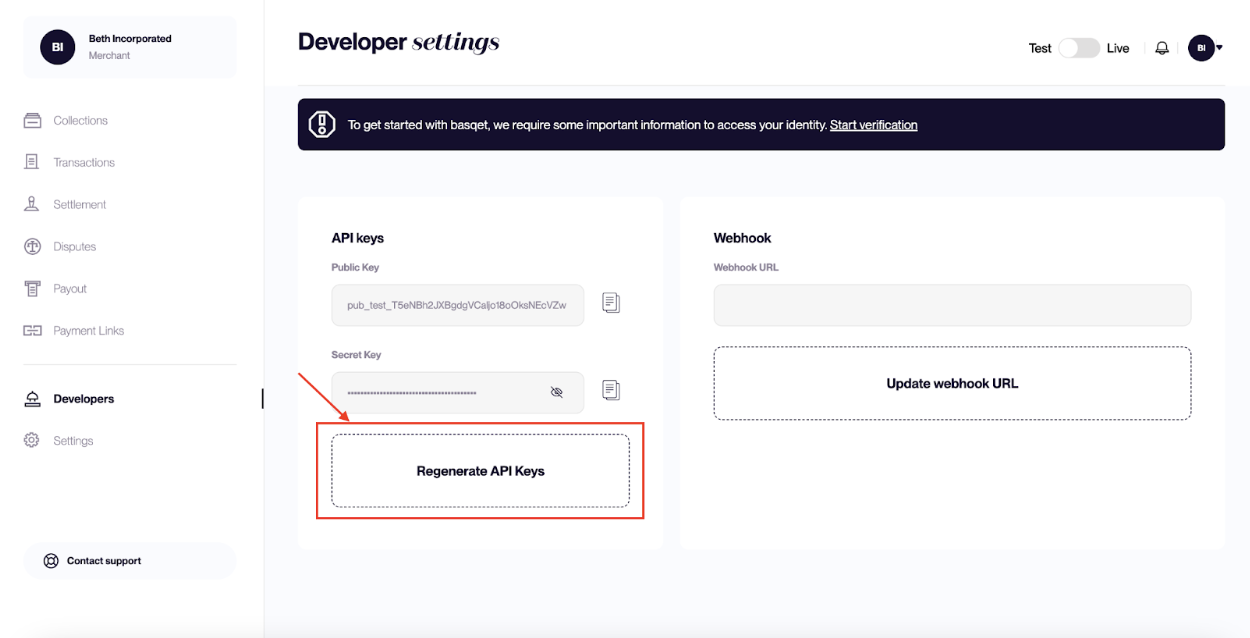
- Replace the old keys in your application.
⚠️ Warning: Any requests using old keys will fail after regeneration.
4. Best Practices
- Store keys securely using environment variables
- Rotate keys regularly for better security.
- Monitor API usage to detect unusual activity.
Updated 7 months ago
Did this page help you?