

Initiating a Payout
Overview
Payouts allow you to send cryptocurrency from your Basqet account to external wallet addresses. You can send funds to a single recipient or multiple recipients depending on your payout needs.
Basqet currently supports two payout approaches:
- Single Transfer – Send funds to one beneficiary.
- Bulk Transfer – Send funds to multiple beneficiaries in one transaction.
Payouts can be initiated directly from the Basqet Dashboard, while API-based payouts will be available soon.
Making a Single Payout (Dashboard)
Use this option when sending funds to one recipient.
Steps
- Log in to your Basqet Dashboard
- Navigate to Payout
- Click Send
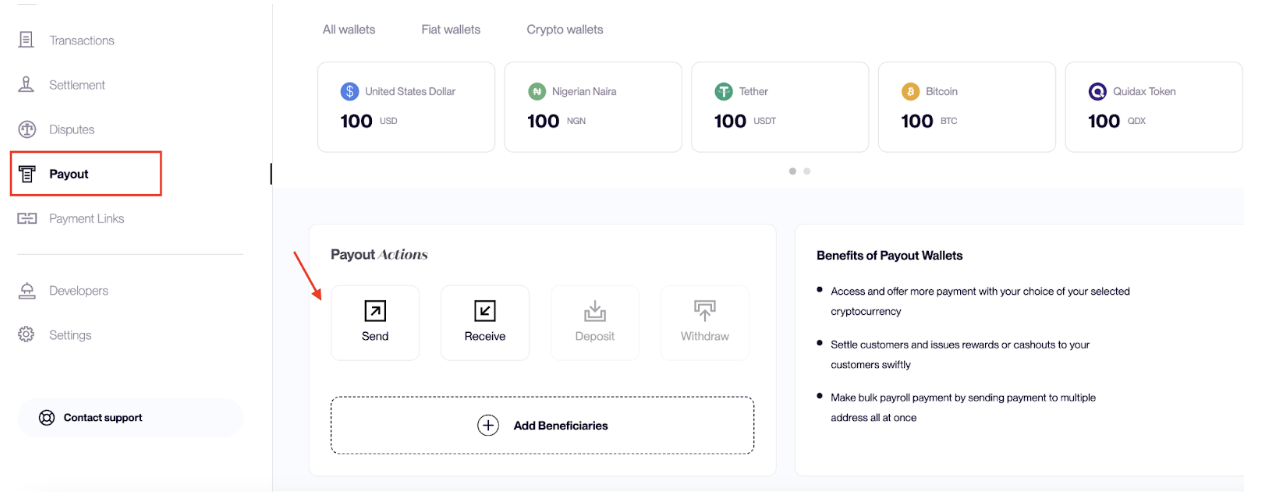
- Select Single Transfer
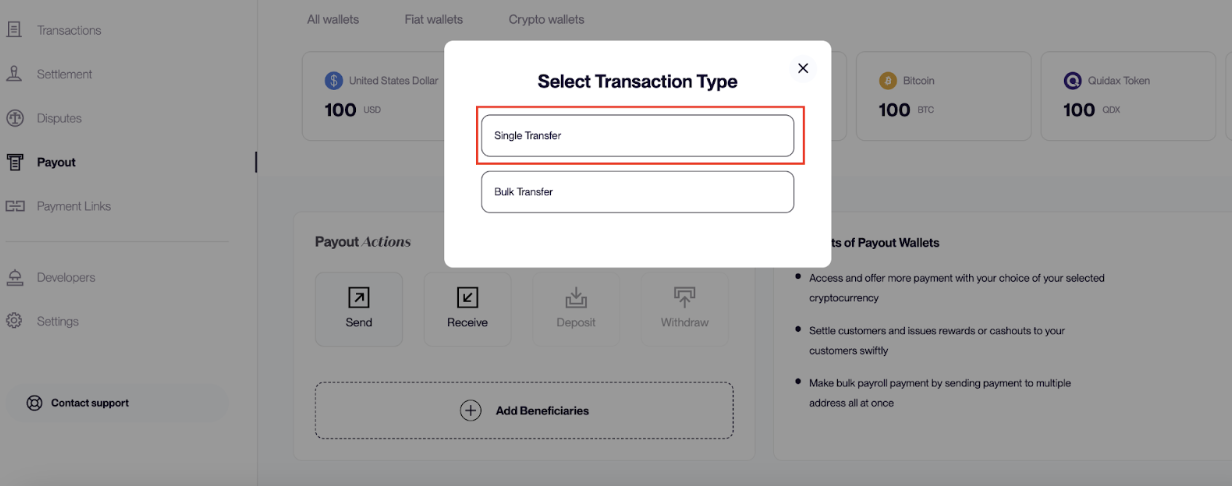
- Enter the required payout details:
| Field | Description |
|---|---|
| Currency | Select the cryptocurrency you want to send |
| Recipient | Select an existing beneficiary or enter details for a new recipient |
| Amount | Enter the amount you want to send |
- Review the payout details and tick the confirm box
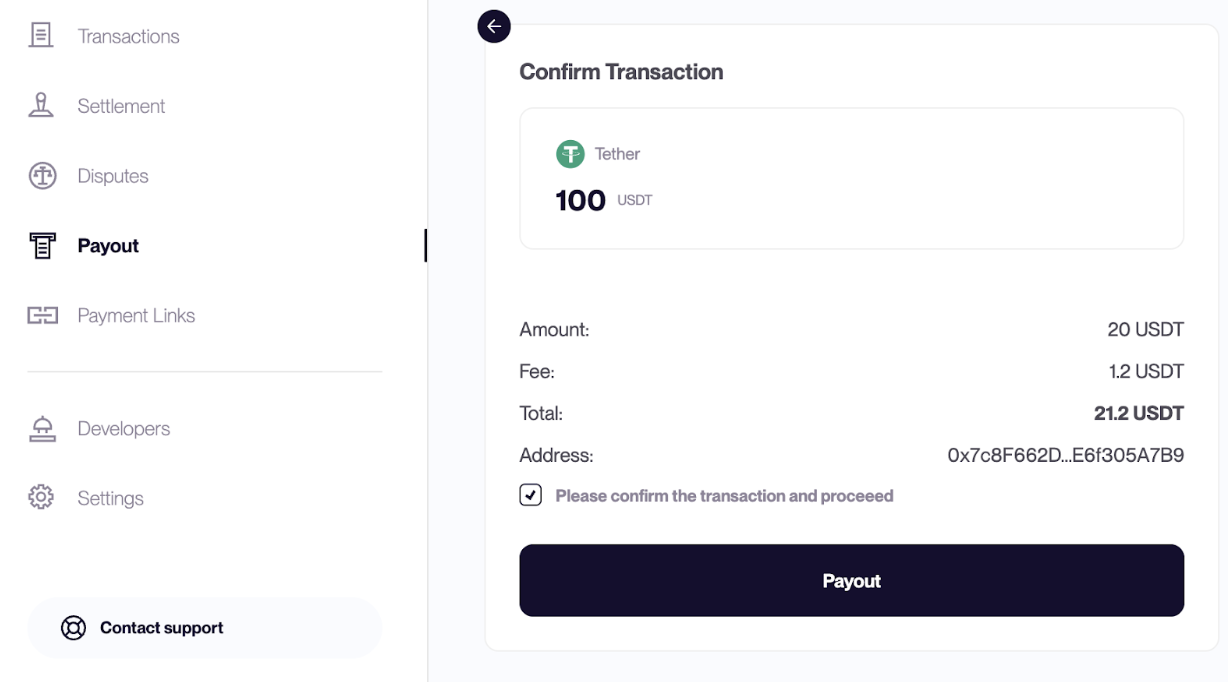
- Confirm the payout to complete the transaction
Making a Bulk Payout (Dashboard)
Bulk payouts allow you to send funds to multiple beneficiaries in a single payout operation.
Steps
- Log in to your Basqet Dashboard
- Navigate to Payout
- Click Send
- Select Bulk Transfer
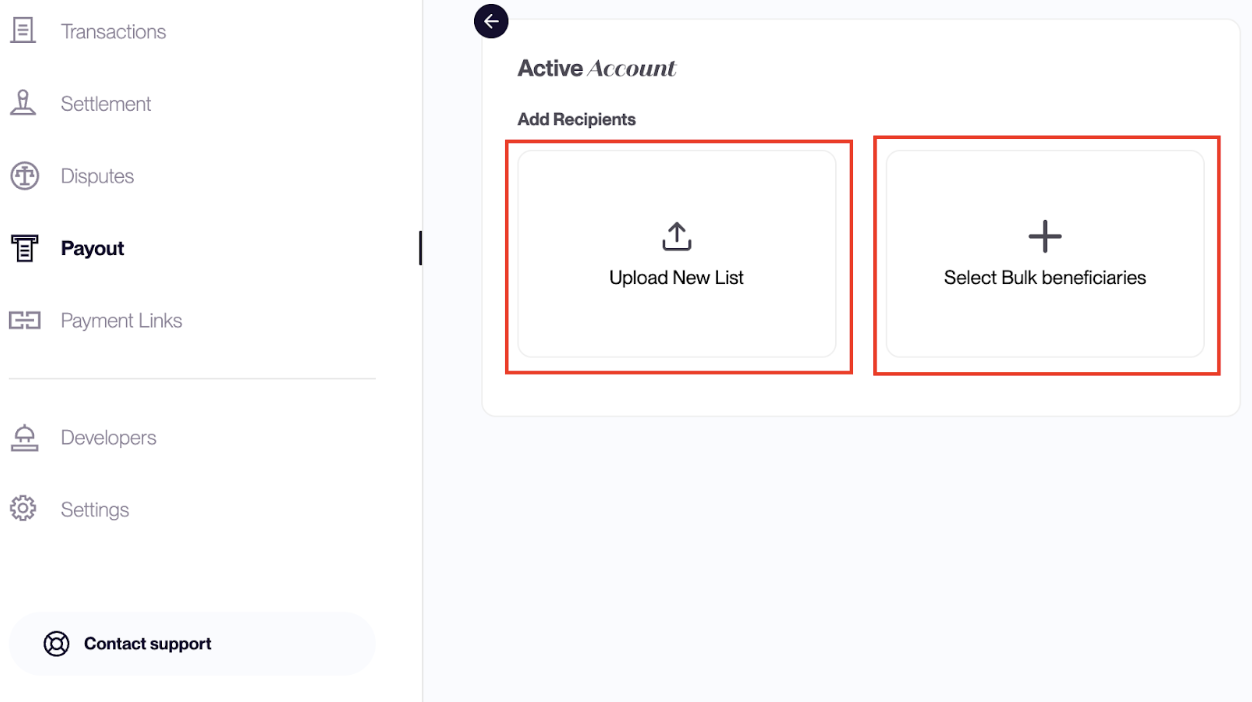
You will then have two options:
| Option | Description |
|---|---|
| Select Bulk Beneficiaries | Choose recipients from previously uploaded beneficiary lists |
| Upload New List | Upload a new CSV file containing recipients and payout amounts |
- Select the beneficiaries you want to pay
- The system automatically populates recipients and their payout amounts
- Review the payment confirmation page showing recipients and transaction details
- Confirm the payout to complete the transaction
Related Guides
- Supported Currencies
- Beneficiary Management
Updated 7 months ago
Did this page help you?