

Environments (Test & Live)
Basqet provides two separate environments for building and running your integration:
- Test (Sandbox) Environment – for development and testing
- Live (Production) Environment – for real transactions and customers
These environments are fully isolated from each other and use different API keys, data, and webhooks.
Test Environment (Sandbox)
The Test environment is a safe, isolated environment where you can build and validate your integration without using real funds or affecting real users.
Use the Test environment to:
- Build and test your payment flows
- Simulate pay-ins and payouts
- Validate webhook handling
- Test error handling and edge cases
- Confirm transaction lifecycle behavior
Transactions created in Test mode:
- Do not move real crypto or fiat
- Are visible only in the Test dashboard
This environment mirrors Live behavior as closely as possible, so a successful Test integration should work the same way in Live.
Live Environment (Production)
The Live environment is where real transactions occur and real customer data is processed.
Use the Live environment only after:
- Your integration works end-to-end in Test mode
- You can correctly verify transactions
- You handle webhooks securely
- You can manage errors and retries
Transactions in Live mode:
- Move real funds
- Affect your actual balance and settlements
Switching Between Test and Live
You can switch between Test and Live modes directly from your Basqet dashboard.
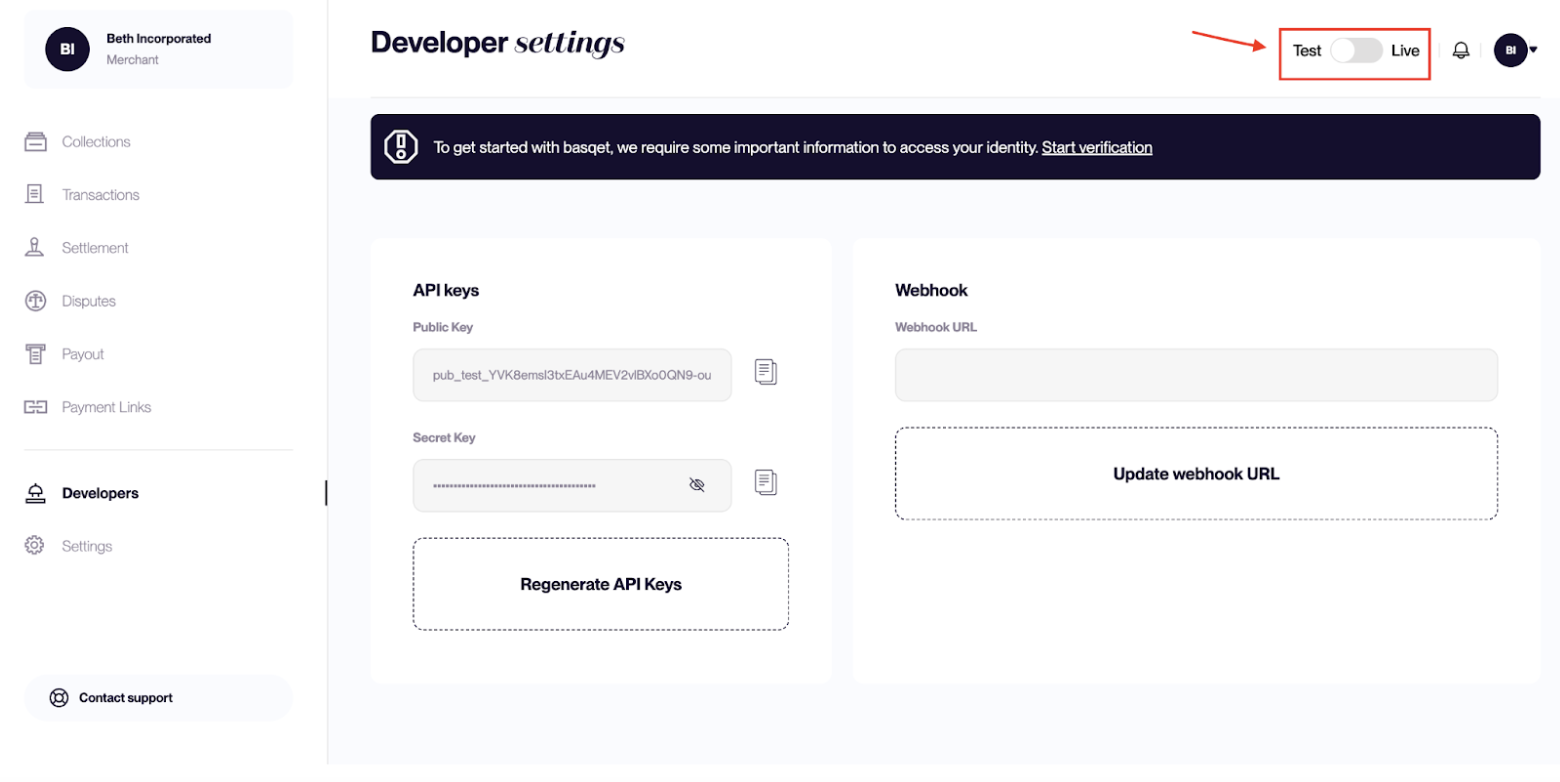
To switch modes:
- Log in to your Basqet dashboard
- Locate the Test/Live mode toggle at the top-right corner
- Toggle:
- Left for Test mode
- Right for Live mode
Note: You must complete and have your KYB approved before you can switch to Live mode.
When you change environments:
- Your dashboard data updates to match the selected mode
- The API keys displayed belong to that environment
- Webhooks must be configured separately for each environment
This separation ensures that Test and Live data do not mix and that real transactions only occur in Live mode.
Test keys and Live keys are clearly identifiable by their prefixes:
- Test keys: start with
\*\*\*\*\_test\_\*\*\*\*
 Example: pub\_test\_xxxxxxxxxxxxxx
- Live keys: start with
\_live\_
 Example: pub\_live\_xxxxxxxxxxxxxx
Webhooks
Webhooks are environment-specific:
- Webhooks configured in Test mode receive Test events
- Webhooks configured in Live mode receive Live events
They do not carry over automatically between environments.
Before going live:
- Configure and test your webhooks in Test mode
- Re-register your webhook endpoints in Live mode
- Verify webhook signature handling in both environments
Updated 7 months ago